Unified Dashboard
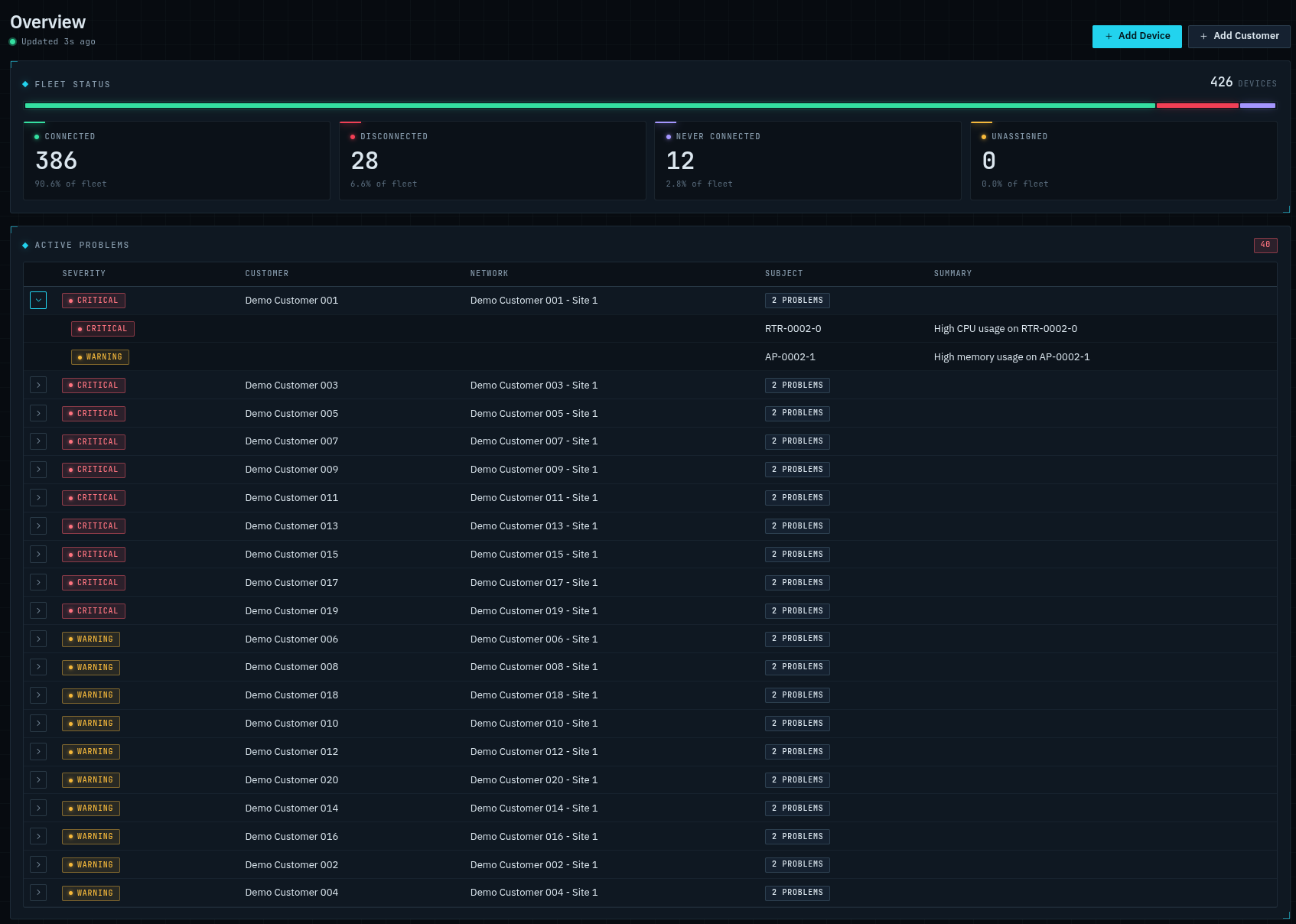
See the whole customer-edge fleet — connected, disconnected, misconfigured, or behind on firmware — and drill into problems from one view.
MikroMind configures, monitors, and manages the MikroTik routers, switches, and access points you deploy for customers — from templates, so your staff never need to hand-write RouterOS.
Templates, not hand-written RouterOS
Define the config once, override per customer
Zero-touch onboarding
Ship it, plug it in, it configures itself
No inbound ports, ever
Devices dial out over their own WireGuard tunnel
Zero-Touch Provisioning
Ship pre-configured MikroTik hardware directly to subscribers. No manual CLI scripts required on site.
Flash a custom company default config with netinstall
Create the customer and network manually, or sync them from your CRM.
The device dials out to MikroMind over its own WireGuard tunnel — no inbound ports — updates firmware, and pulls its configuration.
Shows up on your fleet dashboard fully configured with live metrics.
Three capabilities that replace most of the manual RouterOS work in an ISP or MSP.
See the whole customer-edge fleet — connected, disconnected, misconfigured, or behind on firmware — and drill into problems from one view.
Push config updates or firmware .npk files to a single device, an entire network, or the whole fleet — immediately or in an off-peak maintenance window.
The UI is designed around tier-1 staff: safe changes to settings like SSID and Wi-Fi password, with custom RouterOS scripting still there for advanced users.
Monitoring-only tools don't generate configuration. Vendor clouds only manage their own hardware. Generic push tools don't model per-customer settings. MikroMind does all three, on MikroTik.
| Capability | MikroMind | Monitoring-only tools | Vendor clouds | Generic push tools |
|---|---|---|---|---|
| Generates full RouterOS config from per-customer templates | ✓ | — | own hardware only | — |
| Zero-touch self-registration | ✓ | — | own hardware only | — |
| Monitoring & problem detection | ✓ | ✓ | own hardware only | — |
| Per-customer change history with 1-click revert | ✓ | — | — | — |
| Runs on the MikroTik gear you deploy at customer sites | ✓ | partial | — | partial |
Vendor clouds are excellent — on the hardware they were built for. MikroMind is that same shape of product for MikroTik.
Same binary, same features, same price either way. Pick the deployment that fits your operations.
We run the infrastructure, database, TLS, and updates. Your team logs in and manages the fleet.
mikromind.comRun the Go binary on your own Linux server, on request, for teams that want full control of their data.
Explore the full interface on the live demo — a real running instance, seeded with realistic data, reset hourly.
No. Every device connects out to MikroMind over its own WireGuard tunnel, so routers behind NAT are fully manageable. Nothing inbound is ever opened on the customer's network.
RouterOS 7, tested against current stable releases. Devices still on RouterOS 6 are automatically upgraded during onboarding, and every device is kept on your target firmware from then on.
Every account runs on a private instance with dedicated infrastructure. We also need to do migration tests for existing devices and other onboarding tasks that are the same effort for 1 or 1000 devices. The floor keeps that sustainable.
No trial tier, but the live demo is seeded with full realistic data so you can test every workflow before signing up.
Yes. Custom CLI commands survive factory resets and are re-applied on every configuration reconciliation.
Pick target firmware at the company level and override it per network, if needed. Set a maintenance window and MikroMind pushes upgrades in the window and tracks reboot outcomes. We start with small batches to detect issues before pushing firmware to all devices.
We currently sync customers, services, and MikroTik devices from Splynx. We will add more CRMs as requested.